By who they are
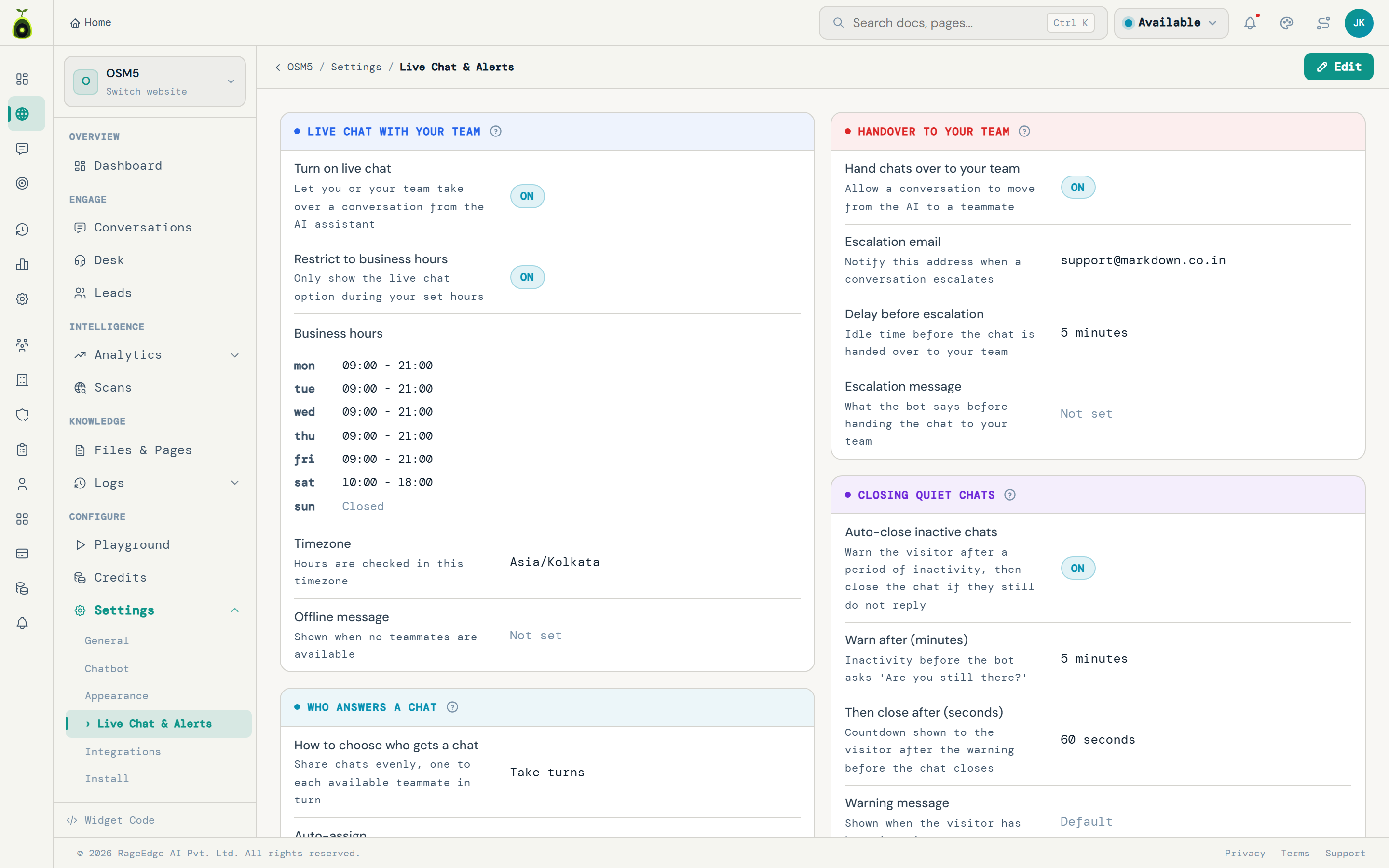
Skill, language, seniority, or the department the conversation was routed to.
Home / Features / Routing and teams
🔀Round robin is fine until somebody is on holiday and somebody else speaks Spanish.
A handoff is only as good as the person it lands on. AidEcho routes by skill, language, current workload, department, seniority, or whoever served that customer last, with a capacity limit per teammate and a policy for when nobody is free.
Routing decides which teammate receives a conversation when the assistant hands it over. AidEcho offers twelve modes, including by skill, by language, least busy, by department, most senior first and same teammate as last time, with per-teammate capacity limits and a configurable policy for when nobody is online.
01 / What it does
Every team splits work differently. A two-person shop wants least-busy. A clinic wants departments. An agency wants the person who knows that client.
Skill, language, seniority, or the department the conversation was routed to.
Least busy, round robin, or first in first out, with a cap on concurrent chats per person.
Same teammate as last time, so a returning customer is not re-explaining to a stranger.
Roles decide what each person can see, including whether they can reveal a customer contact detail.
02 / All twelve
These are the exact options in your settings, described the same way they are described there. Pick one per website and change it whenever your team changes.
Chats wait in a list and your team pick them up themselves.
The longest-waiting chat goes to the next teammate who frees up.
Share chats evenly, one to each available teammate in turn.
Send it to the available teammate with the fewest open chats.
Send it to the available teammate who has waited the longest.
Pick any available teammate.
Send it to a teammate whose skills match the topic, else whoever is least busy.
Send it to a teammate who speaks the visitor language, else whoever is least busy.
Send important chats to your most experienced teammate who is free.
Keep a returning visitor with the teammate who last helped them, if free.
Balance skill, language and seniority against how busy each teammate is.
Ring the whole team and let the first to grab it take the chat.
03 / In practice

Das tut mir leid. Standardlieferungen dauern 3 bis 5 Werktage, zwei Wochen ist deutlich zu lang.
Source: /versandEinzelne Sendungen kann ich nicht einsehen. Ich verbinde Sie mit jemandem aus dem Team, der Deutsch spricht.
Routed by language
Hallo, Elena hier. Ich habe Ihre Bestellung gefunden und schaue mir das sofort an.
04 / How it works
Routing is not only about matching. It is about not drowning one person while another is idle, and behaving sensibly when the office is empty.
05 / Straight about the limits
It puts the right conversation in front of the right person. It cannot conjure a person who is not there.
Everyone in returns is at capacity right now. You are third in the queue, or I can take an email and have them come back to you within the hour.
Source: /contact06 / Nearby
Routing decides who. These decide when, and what they see.
07 / Questions
Manual, first in first out, round robin, least busy, least recent, random, by skill, by language, by seniority, same teammate as last time, a blended smart match, and broadcast to everyone with first claim winning.
Yes. Set a maximum number of concurrent conversations per teammate, and anything beyond it queues rather than piling on.
You set the policy: reassign to someone free, put it back in the queue, return it to the assistant, or leave it with them. There is a grace period so a brief drop does not trigger it.
Yes. Permissions are per website, so you can give someone access to one site and nothing else, which is how agencies run client access.
Add your website, set your rules, and go live today. Free to start.
No credit card to start. Live in minutes.