Home / Integrations / WooCommerce
🛍️A WooCommerce AI chatbot that installs in one line.
No plugin. No PHP. Nothing to break on the next WordPress update.
AidEcho reads your WooCommerce storefront the way a shopper does, then answers questions about shipping, returns, sizing and your products, citing the page each answer came from. When a question needs a person, it passes over the whole conversation.
A WooCommerce AI chatbot is an assistant that reads your WooCommerce storefront and answers shopper questions about shipping, returns, sizing and your products, using only your own published pages and citing each one. AidEcho adds with a single snippet, works with any theme, and needs no WordPress plugin.
01 / Installing it
Three steps, and none of them touch WordPress.
-
01
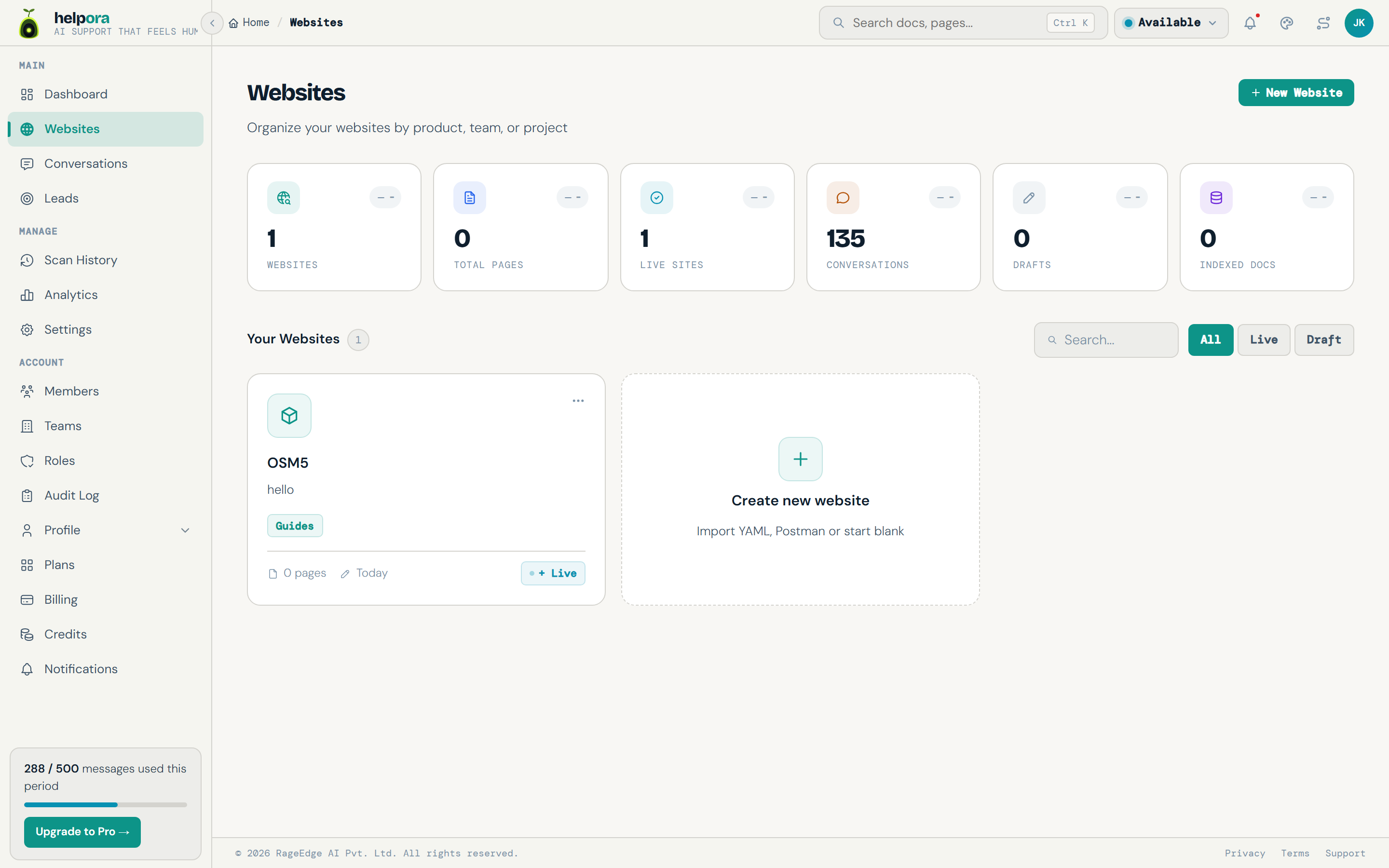
Add your store URL
Paste your shop address. AidEcho starts reading, page by page, including products, policies and your FAQ.
-
02
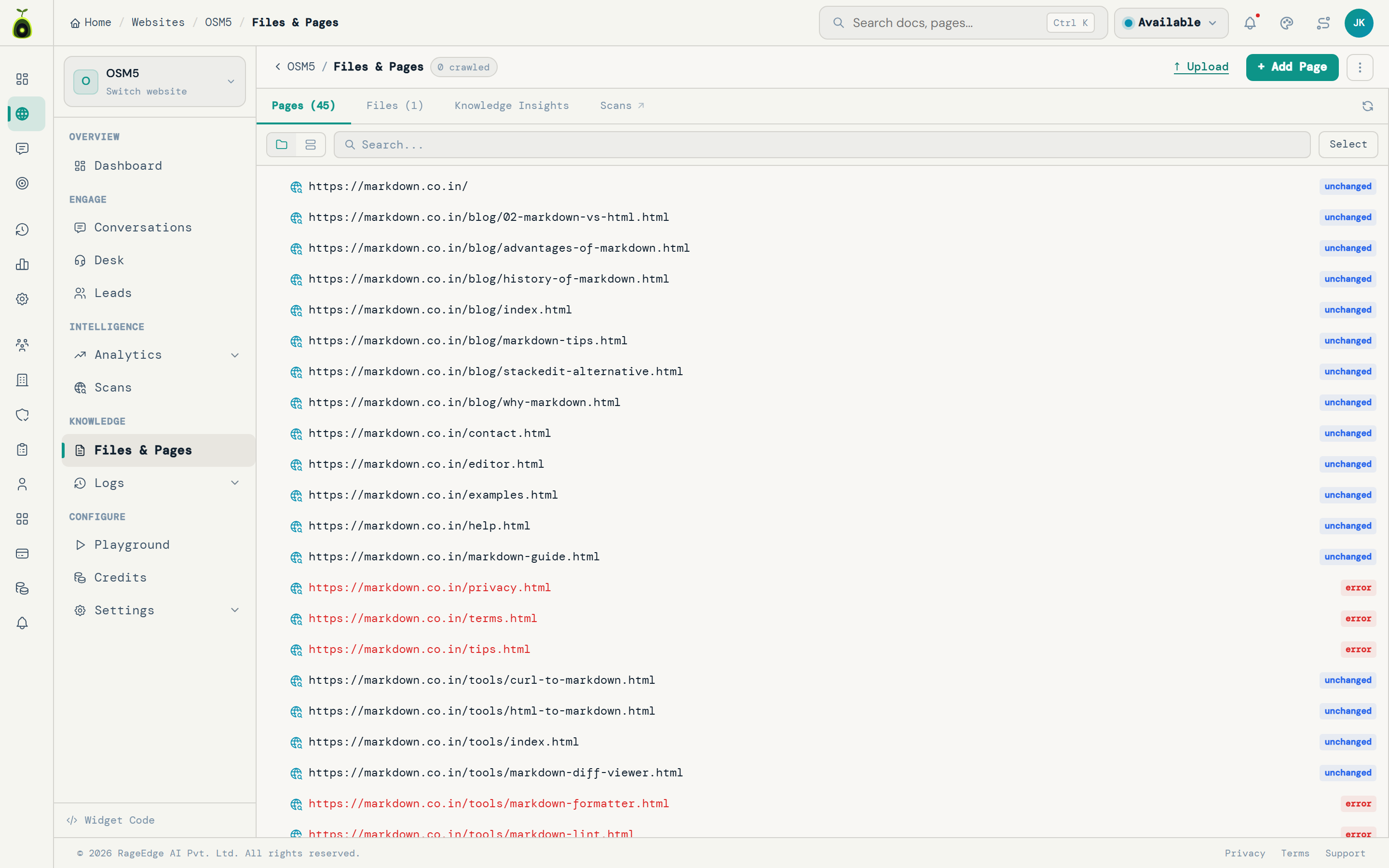
Check what it read
Every page it indexed is listed, so you can see what it knows before a single shopper talks to it. Add size charts or supplier specs as files if they never made it onto a page.
-
03
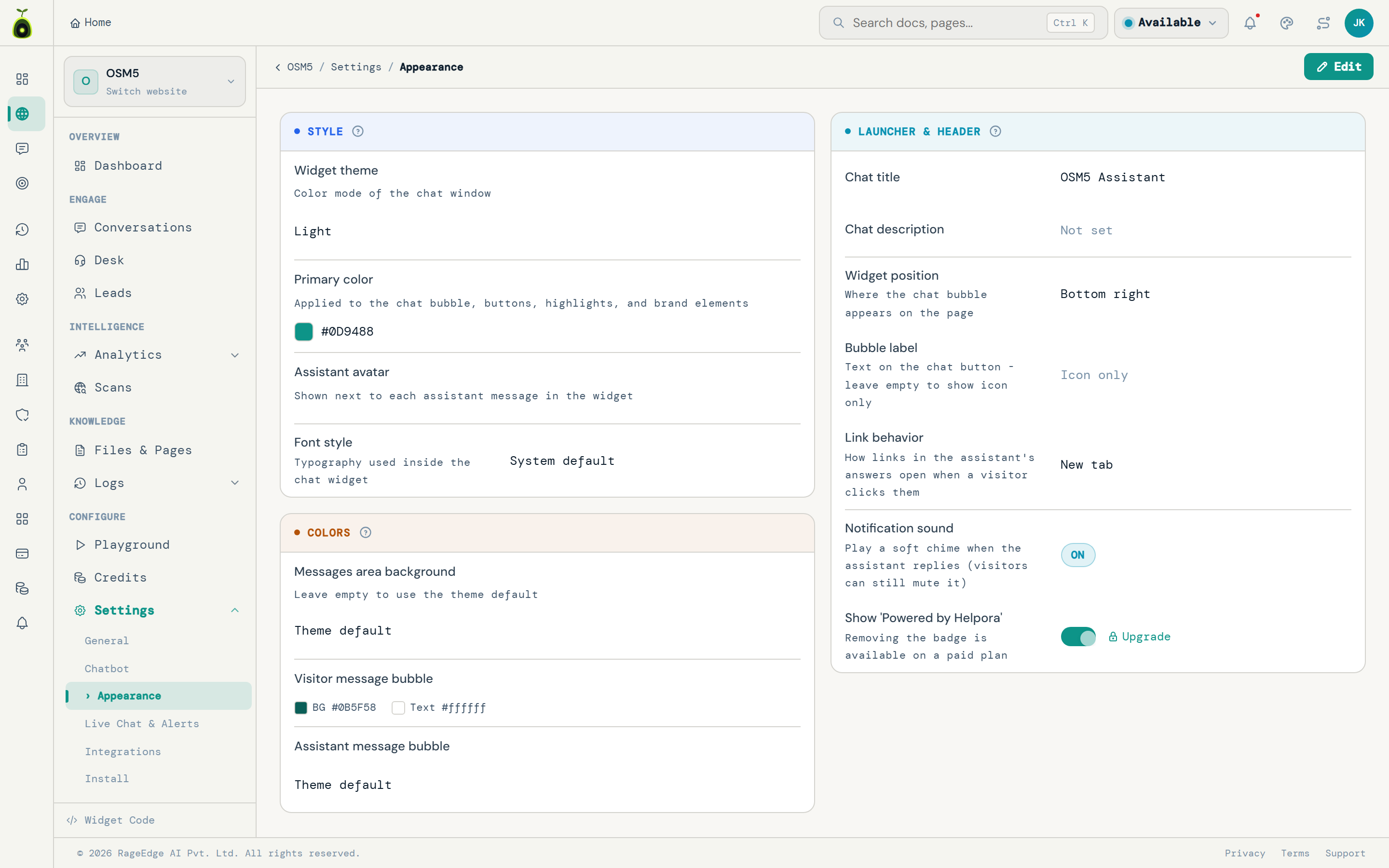
Paste one snippet
Drop it into your theme footer, a code block, or any header-script field your theme provides. No plugin, no PHP, nothing to update.
02 / Why no plugin
One less thing in your plugin list.
Every WooCommerce plugin is another thing to update, another PHP dependency, and another suspect when the site slows down or a release breaks something.
- Nothing to update No plugin version to chase, and nothing that can conflict on a WordPress release.
- No PHP Nothing executes on your server and nothing queries your database.
- No render block The snippet loads after your page, so Core Web Vitals are unaffected.
- Any theme Works with block themes, classic themes, Elementor, Divi and anything else.

Yes, though Northern Ireland adds two working days and a 9 pound surcharge on furniture.
Source: /shipping03 / Straight about the limits
What it reads, and what it does not.
Worth being precise, because "works with WooCommerce" means different things from different vendors.
- Reads Your storefront: product pages, descriptions, variants as published, size guides, shipping and returns policies, FAQs.
- Cites The page behind every answer, so a shopper can check it themselves.
- Does not, by default Connect to your WooCommerce admin, so live stock levels and order lookup are not read from the database unless the store connector is linked.
- Connect the store connector Live price and stock, plus order status for a verified shopper - see how it works.
The product page currently shows oak as available to order with a 3 to 4 week lead time. Connect the store connector and I can check the live count instead.
Source: /product/oak-desk04 / Also on
The same assistant, wherever your store runs.
It reads storefront pages rather than connecting to an admin, which is why the install is the same everywhere and nothing is locked to one platform.
Shopify
One line in your theme, live in minutes on any Shopify store.
See Shopify › 📝WordPress
Any theme or page builder, with or without WooCommerce.
See WordPress › 📦The store connector
Live price and stock, plus order status for a verified shopper.
See what it does › 🛍️Online stores
The questions shoppers ask before they buy, and what answering them changes.
For e-commerce ›05 / WooCommerce questions
Answers, before you ask.
Do I need a WooCommerce plugin?
No. AidEcho is one snippet you paste into your theme, a code block, or any header script field. It works with any theme and page builder, and there is nothing to keep updated or to break on a WordPress release.
How does it know about my products?
It reads your storefront the way a shopper would: product pages, descriptions, size guides, shipping and returns policies, and your FAQs. Answers come from those pages and cite the one they came from.
Can it see live stock or look up an order?
By default it reads what your product pages say, so if a page shows a variant as out of stock it knows that. Connect the store connector and it checks live price and stock at the moment your shopper asks, plus order status for a verified shopper.
Will it slow my store down?
The snippet loads after your page, so it does not block rendering and does not affect your Core Web Vitals. Nothing is installed in WordPress itself, so there is no PHP execution and no database load.
How long does it take to go live?
Add your store URL, let it read your pages, then paste the snippet into your theme. Most stores are answering shoppers the same day.
Add it to your WooCommerce store today.
Point it at your shop, watch it read every product and policy page, then paste one line. Free to start.
No credit card to start. Live in minutes.